Blog
I love the Kindle Scribe. It's one of my favorite devices we use with our planning system. And if you've got one on your desk, the question is usually the same: how do I actually plan my day on it?
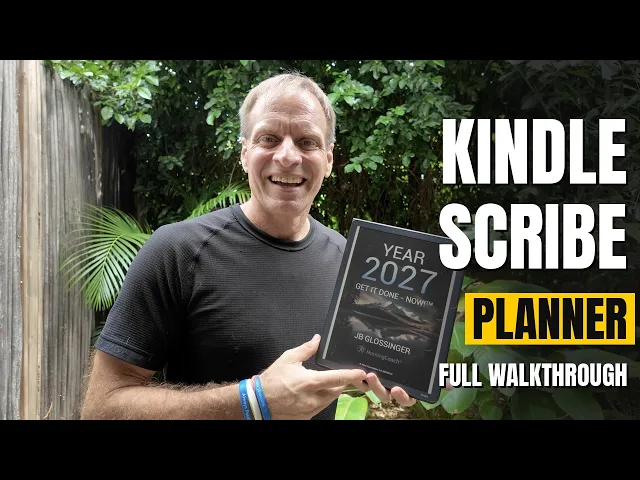
That's what this walkthrough is for. I take you through the MorningCoach® Get It Done — NOW!™ 2027 planner on the Scribe: how to get it onto the device, how to move around the year, and how to use the daily page.
How to get the planner onto your Kindle Scribe
Download the planner from the MorningCoach® website, then put it through Kindle onto your device. Once it opens, you can scroll the front pages and start using the navigation.
The planner is a hyperlinked PDF, built for the way the Scribe works. The 2027 Get It Done — NOW!™ planner is 989 pages, and you can get it on its own for $19.99.
Move through the year in a couple of taps
The main thing I want you to see first is the daily sheets. The months are tabs, so you can go from March to October without paging through the whole year. You can also use the annual planner, in a one-page or two-page view. From there, the mini calendar is the fastest way to a specific date. In the video I jump from January 22 to June 22 in a couple of taps.
We have over 40,000 links in this planner. That's what makes the Scribe feel like a real planning tool instead of a long PDF you have to swipe through. You can also move day to day with the arrows on the daily page, or use the tabs, the annual view, the top navigation, and the weekly navigation on the right.
One Scribe tip: if the top menu takes you home when you're on certain pages, go back to the day you're in first, then use the top navigation from there. I've had that happen a couple of times. It's a Scribe issue with this planner, and once you know the workaround, you're fine.
Start the day with the 7 Ps
The first part of the MorningCoach® design day on the daily sheet is the 7 Ps. We want you to have the right perspective, set the priorities, focus on improved performance, have patience, keep great posture, stay present, and persist.
Day focus, the Sacred Six, and a cascade check
Once the 7 Ps are set, you have your day focus, your mission, and your vision. Two questions matter here: what are you going to do this year, and who are you going to become this year?
Then comes the Sacred Six. Those are the six things you're going to do today that are really going to make a difference. You can mark them as you go: a line through one when it's done, block it halfway if it's half done, or an arrow if you're delegating.
You also have a schedule on the daily page, so you can put the day into time, not just into a list.
Then there's the cascade check. This is the one I use when I'm organizing the day, or even when I'm on a phone call. Does this serve my mission? Does it serve my vision? Is it aligned with my values? And am I saying no enough? That's how the day stays connected to the year.
Sacred Six versus consistency
People ask how the Sacred Six is different from the consistency area on the page.
When I was becoming a Boston Marathon qualifier, it started as a Sacred Six project. Then it became consistency, because it was just something I was doing regularly, and I was tracking it. Now it isn't even part of my plan.
In our system, it starts with process. You build the process first. Then you track it for consistency. The third thing it leads to is autonomy: it doesn't even need to be on the page anymore. I'm learning Spanish right now, so I track that as a consistent activity.
A few Kindle Scribe tips I use while I plan
The Scribe's lasso tool is useful here. I can lasso what I wrote in the consistency area, copy it, go to the next day, and paste it where it belongs. Two tips that make that smoother: swipe with your finger instead of tapping the navigation while the lasso is active, and use your finger to grab things rather than the pen tip.
I also like the highlighting on the weekly calendar. You can write on those pages, mark a vacation, and use different colors. Every Scribe is a little different, so you may need to work day by day if a highlight grabs a link instead of the calendar box.
Gratitude sits on the daily page too, along with miscellaneous notes. Notes in the back of the planner have an index on the home page, so you can jump to a specific note when you need it.
The daily journal, loops, and the Hemingway Method
Page two is the daily journal. You can track energy, mood, and sleep, write in the journal, and capture daily wins.
This is also where loops live. Loops are the open things you have going on. From the page, you can open a loops inventory: what's open, old loops, and gray-zone commitments. There are only three doors out of a loop: finish it, park it, or schedule it.
There's a difference between an outcome loop and an action loop. Studying Spanish is an outcome loop. If I treat it as an action loop, something I have to finish, I end up with a lot of anxiety and stress.
The Hemingway Method is how I close the day. It gives you a thread to pick up tomorrow: what you stopped working on, what comes next, and the first step tomorrow morning.
You can also track things like HRV, weight, body fat, sleep score, and mood if that's useful for you.
Weekend reviews and the cascade
After every Sunday, there's a weekend review. Those pages are in the planner, and you can find them from the systems index.
The cascade is the structure underneath the daily page: mission, vision, values, goals, projects, and tasks. The top navigation takes you into those areas, including a worksheet for the work you want to do on them. Everything is in the planner.
Get the planner, then keep building
If you want to start using this on your Kindle Scribe, the 2027 Get It Done — NOW!™ planner is a 989-page hyperlinked PDF. It's $19.99 on its own at morningcoach.com.
If you want help setting the planner up and using it on the Scribe, the Kindle Scribe course is $27 at morningcoach.com/amazonscribe, and the 2027 planner is included.
I've been doing this for 22 years, and the point of the planner is simple: make that Kindle Scribe a productivity machine you actually use.
If you want to see the system around the planner first, System Builder is free at https://system.morningcoach.com/start.
Related
Read Other Articles
Categories
All
Morning Rituals & Daily Momentum
Productivity & Performance
Mindset & Inner Game
Spiritual Growth & Presence
Health, Longevity & Energy
Business, Wealth & Freedom
Mission, Meaning & Values
Technology & Tools for Life Design
Community & Relationships
Leadership & Coaching
Creativity & Flow
Resilience & Mind-Body Balance
Learning & Growth Mindset
Travel, Adventure & Lifestyle Design
MorningCoach® News & Updates









FAQs
What is MorningCoach®?
What are the system levels?
Which level should I start with?
What is the Companion software?
Do I need the book to use MorningCoach®?
What's the MorningCoach® CoachCast?
How do I cancel?
Do I need to be tech-savvy?

Still have a question?
Get in touch with us and let's discuss it.
